

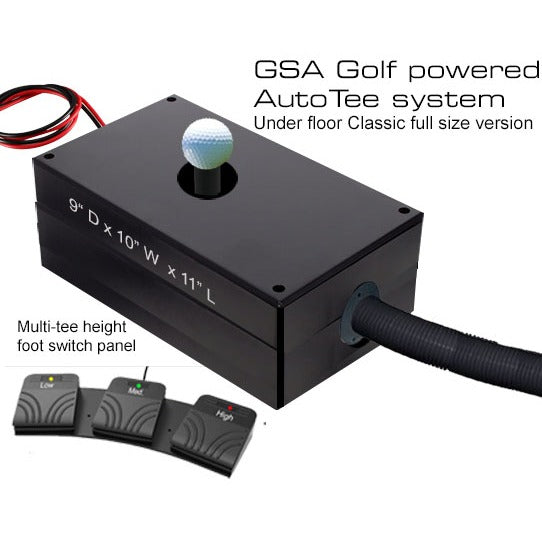
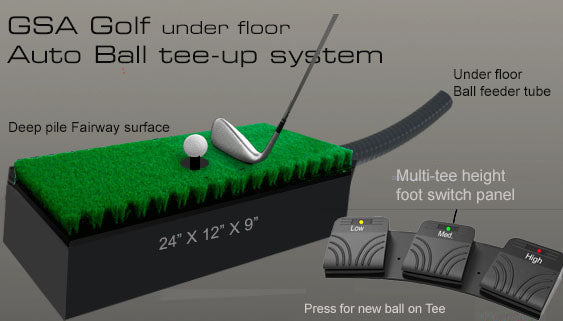

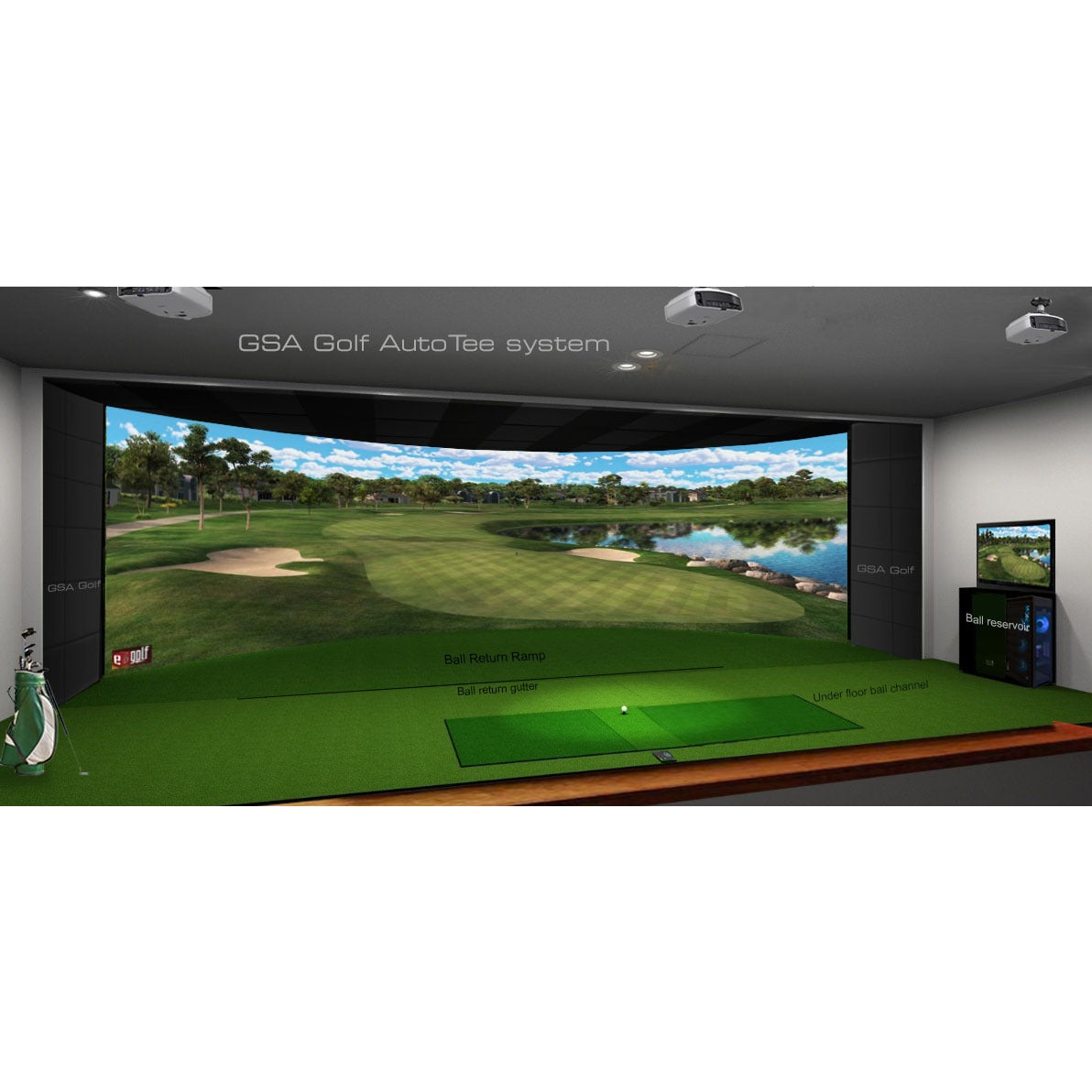
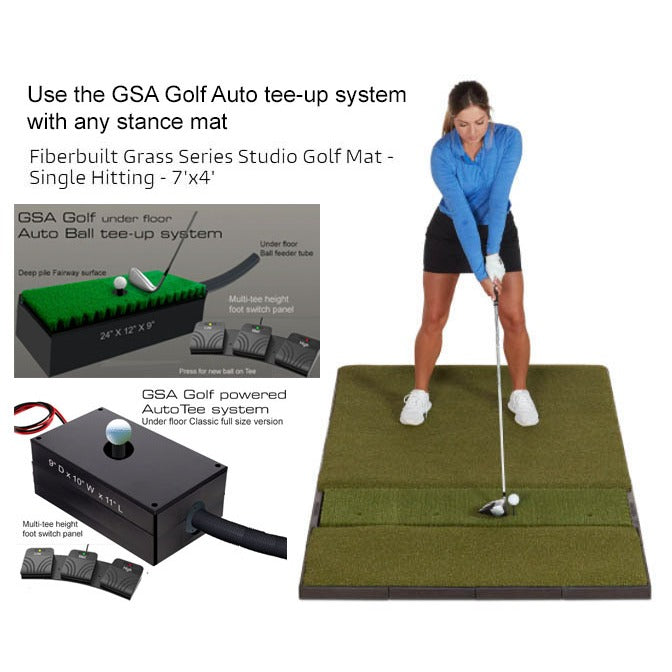
The GSA Golf AutoTee automated under-floor ball tee-up system for golf simulators and driving ranges. After each shot, a new ball is automatically teed up and ready to hit - no bending down, no manual ball placement.
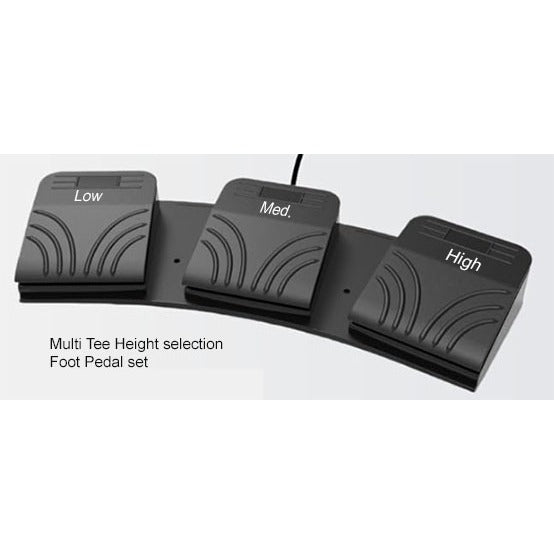
The system uses an under-floor ball feeder tube and a vertical actuator that pushes each ball up through the mat surface to a tee position. A multi-position foot switch lets the golfer select Low, Medium or High tee height with one press.
Designed for commercial driving ranges and high-end home simulator installations.
Available in the following options:
- Without Grass Mat - unit only, fits into your existing mat
- With Grass Mat - includes a 24" x 12" deep-pile fairway surface mat
Potential add-ons:
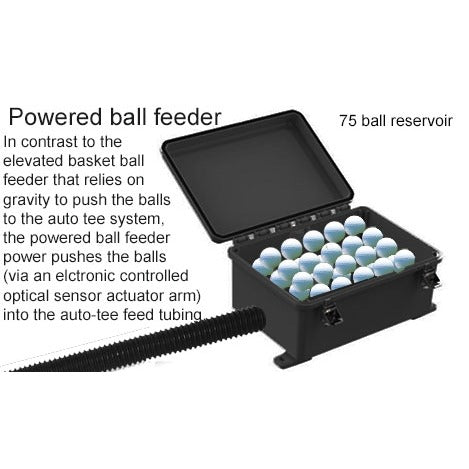
- Powered ball feeder
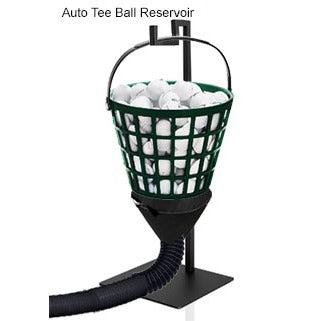
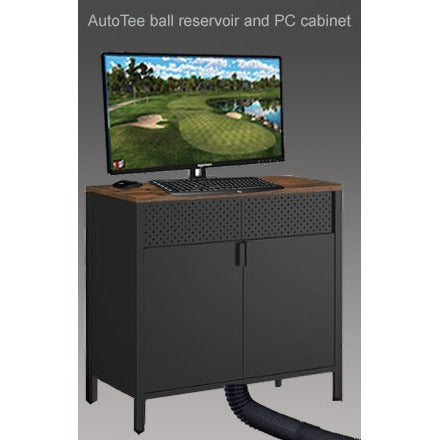
- AutoTee ball reservoir and PC cabinet
Features
- Automatic ball tee-up - Ball is teed up automatically after each shot. No manual ball placement required
- Multi-height foot switch - Low, Medium and High tee positions selectable with a foot switch panel. No need to bend down
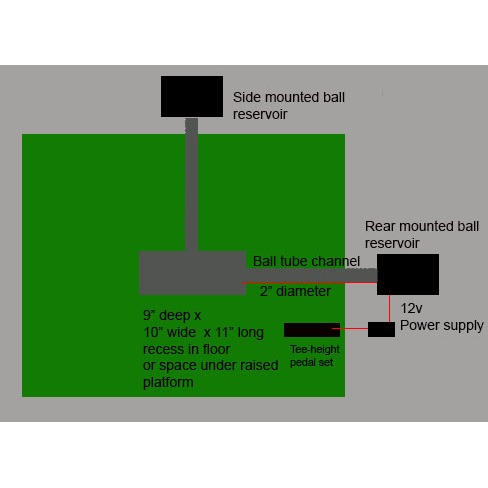
- Under-floor ball feeder - Ball supply tube runs under the floor surface for a clean, low-profile installation
- Deep-pile fairway surface - Optional 24" x 12" deep-pile fairway grass mat available with the system
- Designed for commercial and home use - Built for high-volume driving ranges and high-end home simulator installations
In The Box
- AutoTee ball tee-up system
- 3 pedal controller
- AutoTee ball reservoir + 10' of ball channel tubing
- [Optional] With deep pile fairway grass mat
- [Optional add-on] AutoTee ball reservoir cabinet
- [Optional add-on] AutoTee powered ball feeder
Specifications
| Actuator tube | 10 foot-long actuator tube |
| Under-floor classic | 10"W x 11"L x 9"D |
| With deep pile fairway grass mat | 12"W x 24"L x 9"D |
| Tee height positions | Low, Medium, High (foot switch selectable) |
| Ball feeder | Under-floor ball feeder tube |
| Intended use | Commercial driving ranges, high-end home simulator installations |
Manuals & Guides
Installation guide and setup documentation coming soon. For support, email support@simulatorshq.com
GSA Golf AutoTee
Sale price$1,999.00
Choose options
GSA Golf AutoTee
Sale price$1,999.00